RV Wi-Fi 101: Your Real Options for Staying Connected on the Road
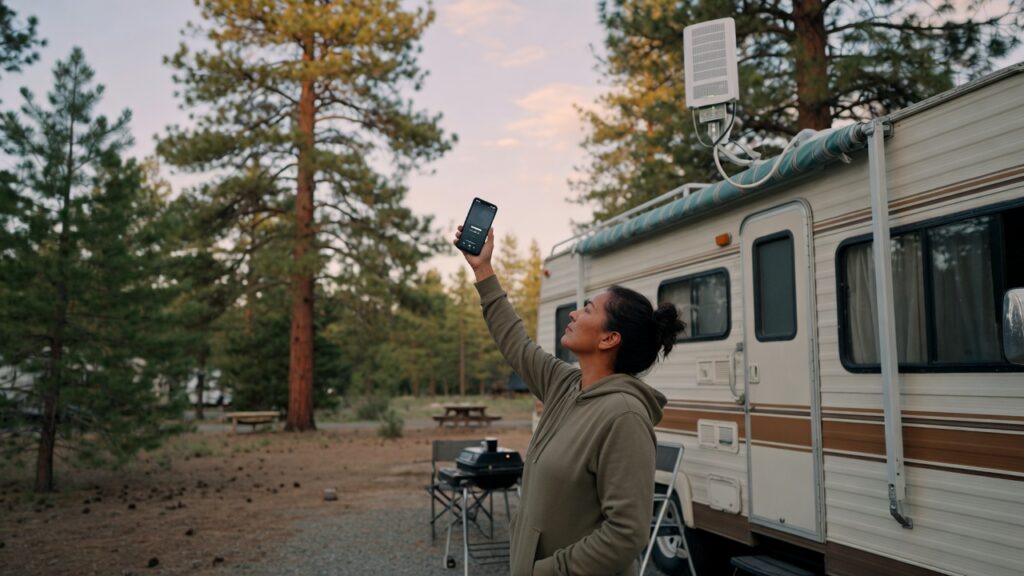
There’s a moment most new RVers hit somewhere around the third or fourth night at a campsite: you need internet, the campground Wi-Fi is either nonexistent or unusable, and you’re trying to figure out what your actual options are. Ideally, you figure this out before that moment — but either way, here’s the landscape.
RV internet is not complicated, but it does involve trade-offs. There’s no single solution that wins on every dimension: speed, reliability, coverage, and cost all pull in different directions. Knowing what each option is good at helps you build a setup that matches how you travel.
Option 1: Cellular data (phone as hotspot or dedicated hotspot device)
This is the most flexible option for most RVers and often the starting point. Your phone almost certainly supports hotspot mode — it broadcasts a Wi-Fi network that other devices connect to, using your cellular data plan to provide the internet access.
The advantages are obvious: your phone goes wherever you go, it works anywhere there’s cell signal, and you don’t need any additional hardware. For occasional travelers or people who only need to check email and handle basic tasks, this is often enough.
The limits: most phone plans have data caps or speed throttling after a threshold. Streaming video or working remotely on a hotspot with a capped plan gets expensive or slow quickly. Tethering is also harder on your phone’s battery than normal use.
Dedicated hotspot devices (like Verizon’s Inseego or T-Mobile’s Franklin routers) offer a better antenna, a dedicated battery, and a separate data plan that won’t compete with your phone usage. They’re worth considering if you rely on cellular data heavily.
A practical point on carriers: coverage varies drastically by geography. Verizon has historically had the broadest rural coverage in the US; T-Mobile has improved significantly and tends to be more competitive on pricing; AT&T’s rural coverage is mixed depending on the region. Many full-time RVers carry SIMs for two carriers or use a service like Visible (budget Verizon network) as a secondary option.
Option 2: Campground and RV park Wi-Fi
Most campgrounds offer Wi-Fi. Most campground Wi-Fi is not good. This is a consistent truth across the industry, with notable exceptions.
The problem is structural: a campground router is serving dozens or hundreds of guests over a relatively modest internet connection. During peak hours — evenings, weekends — it slows to a crawl. The signal often doesn’t reach the back sections of a large park. Security is typically minimal (shared, open network or a single password handed to everyone).
For basic email and low-bandwidth tasks, campground Wi-Fi is fine as a supplement. As a primary internet source for remote work or streaming, it regularly disappoints.
If you’re staying at a campground and want to get more out of their Wi-Fi, a directional Wi-Fi antenna can significantly improve your signal strength if you’re parked far from the access point. Devices like the Alfa AWUS036ACH paired with a directional antenna are a popular choice in the RV community. This won’t fix a slow connection, but it can fix a weak-signal problem.
Option 3: Satellite internet
Starlink has changed the equation for full-time RVers substantially. With a Starlink RV or Starlink Roam subscription, you get broadband-class speeds (typically 50–200 Mbps download in good conditions) nearly anywhere in North America, including remote areas where cellular signals don’t reach.
The hardware cost is significant (the dish and router run around $600), and the monthly subscription is higher than a cellular plan. But for people who want reliable, fast internet in truly remote locations — national parks, backcountry campsites, locations far from any tower — nothing else competes.
Limitations: the dish needs a clear view of the sky. Trees, canyon walls, or a covered campsite can obstruct the signal. Setup takes a few minutes at each location; the dish connects automatically but needs pointing time. Performance also varies by location and network load.
For occasional travelers or those who stay at established campgrounds with cell coverage, Starlink’s cost-benefit may not pencil out. For full-timers in remote areas, it’s often worth it.
Building a practical setup
Most experienced RVers end up with a layered approach:
A cellular hotspot (phone or dedicated device) as the primary connection in most situations. A campground Wi-Fi booster antenna for periods when they’re parked with campground access but poor signal. Starlink if they travel to remote areas regularly or need reliable high-speed internet consistently.
You don’t need all three from day one. Start with cellular. If campground Wi-Fi matters to you, add an antenna. If you go remote or your needs outpace cellular, consider Starlink.
One thing worth knowing upfront
Your connectivity needs determine your setup, not the other way around. Someone who checks email twice a day has very different requirements from someone running a business remotely. Think about what you actually need — bandwidth, reliability, coverage area, budget — before buying hardware. The options exist to serve your travel style, and the right combination looks different for everyone.
The internet exists out there. Getting to it reliably is an equipment and planning problem, and it’s a solvable one.

Connor writes practical guides on Wi-Fi, mesh networks, and home security — breaking down complex IT topics into clear, beginner-friendly steps.
More about me →