Wired vs. Wireless Backhaul: Does It Matter Which Type Your Mesh System Uses?
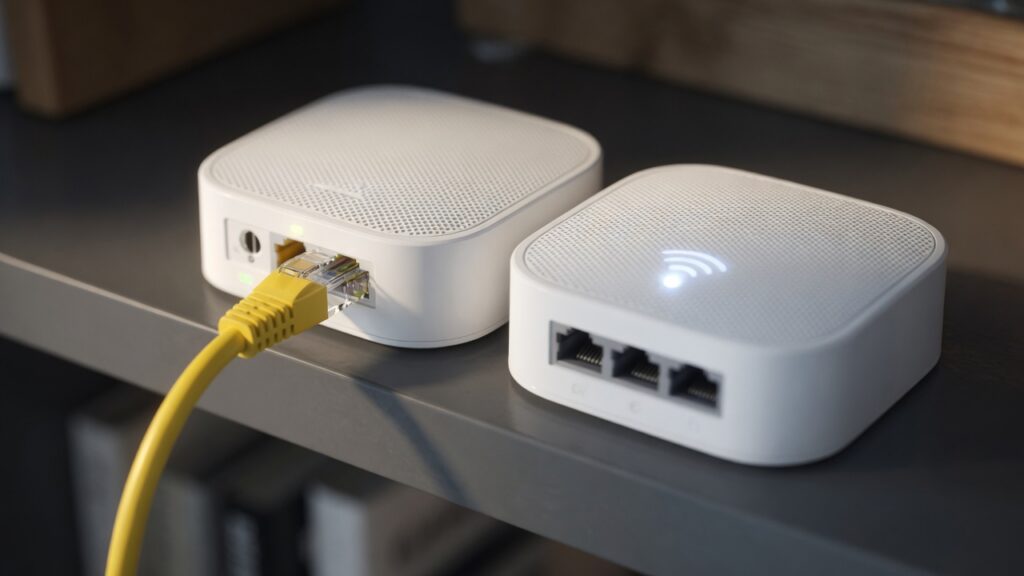
When you look at mesh Wi-Fi system specs, you’ll often see a mention of backhaul — sometimes wireless, sometimes wired, and with tri-band systems, a dedicated wireless backhaul band. It sounds technical, and the marketing tends to make a big deal of it. In practice, the importance of backhaul depends heavily on your specific situation. Here’s how to think about it.
What backhaul actually is
In a mesh system, your devices (phone, laptop, TV) connect to whichever node is nearest. But those nodes need to talk to each other too — that’s how data flows between them. The connection between nodes is called the backhaul.
In a wireless backhaul setup, the nodes communicate over Wi-Fi. In a wired backhaul setup, they’re connected by ethernet cables. That’s the full explanation — everything else is just the implications.
Wireless backhaul: how it works and where it falls short
Most consumer mesh systems ship expecting wireless backhaul, because most people don’t have ethernet cables running between floors. It works. You set up the nodes, they find each other, done.
The limitation is that wireless backhaul uses the same radio technology as everything else in your home. When your mesh nodes are talking to each other over Wi-Fi, that communication is happening on shared radio spectrum. With a dual-band system (2.4 and 5 GHz), the nodes share one of those bands with your regular devices. That means devices and backhaul are competing for the same bandwidth.
Tri-band systems try to address this with a dedicated third band (usually a second 5 GHz channel) used exclusively for node-to-node communication. This helps considerably. It means your backhaul isn’t fighting with your Netflix and Zoom calls for airspace. If you have many devices or heavy usage, a tri-band system will generally outperform a dual-band one in a wireless backhaul setup.
Even with a dedicated backhaul band, wireless still has range and interference limitations. The further apart the nodes are, or the more walls between them, the weaker the backhaul signal — and a weak backhaul connection will degrade performance for every device connected to that node.
Wired backhaul: why it’s better when you can do it
Run an ethernet cable from the primary node to a secondary node, and the backhaul becomes a wired connection. This is genuinely better in a few specific ways.
Wired backhaul is faster, more consistent, and doesn’t compete with wireless traffic at all. The nodes communicate over the cable, freeing up the full wireless capacity for your devices. Latency is lower. You can place nodes further apart without worrying about whether the wireless signal is strong enough between them. In a busy household with many devices and heavy traffic, the difference can be noticeable.
It’s also more reliable. Wireless backhaul can experience interference, channel congestion, and signal degradation. An ethernet cable doesn’t.
The catch: getting ethernet cables between floors or across a home is often the hardest part of any home networking project. It usually requires running cable through walls, attics, or crawl spaces — not something everyone wants to take on. Some people use powerline adapters as a middle ground (the network traffic travels through the home’s electrical wiring), which works reasonably well, though it introduces its own performance variability.
When it actually matters — and when it doesn’t
For a typical household — a couple of people streaming video, working from home, some smart home devices, maybe a gaming console — a well-placed wireless backhaul system will perform fine. If your nodes have a clear path between them and are within reasonable range, you won’t notice the difference in day-to-day use.
Wired backhaul makes a meaningful difference when:
- You have a large home with multiple nodes
- The backhaul path goes through concrete, brick, or other signal-absorbing materials
- You have many devices with heavy traffic (10+ active devices streaming or on video calls simultaneously)
- You’re noticing that devices connected to a secondary or tertiary node consistently perform worse
If you’re in an average house with two or three nodes and normal usage, don’t run cable for the sake of it. But if you have the infrastructure in place — like ethernet jacks in multiple rooms from an old wired network — absolutely take advantage of it. Plug the nodes in. The system will detect the wired connection and use it automatically.
A practical recommendation
Buy a mesh system based on your coverage needs and budget. If you can wire the nodes together easily, do it — you’ll get better performance. If you can’t, a modern tri-band system with a dedicated wireless backhaul will serve most households well. Don’t let the backhaul question paralyze the purchase decision.
And if you’re ever troubleshooting a secondary mesh node that seems slow despite being relatively close to the primary, weak wireless backhaul is one of the first things to check — or fix.

Connor writes practical guides on Wi-Fi, mesh networks, and home security — breaking down complex IT topics into clear, beginner-friendly steps.
More about me →