Powerline Adapters vs. Mesh Nodes: Which One to Use for a Far Room?
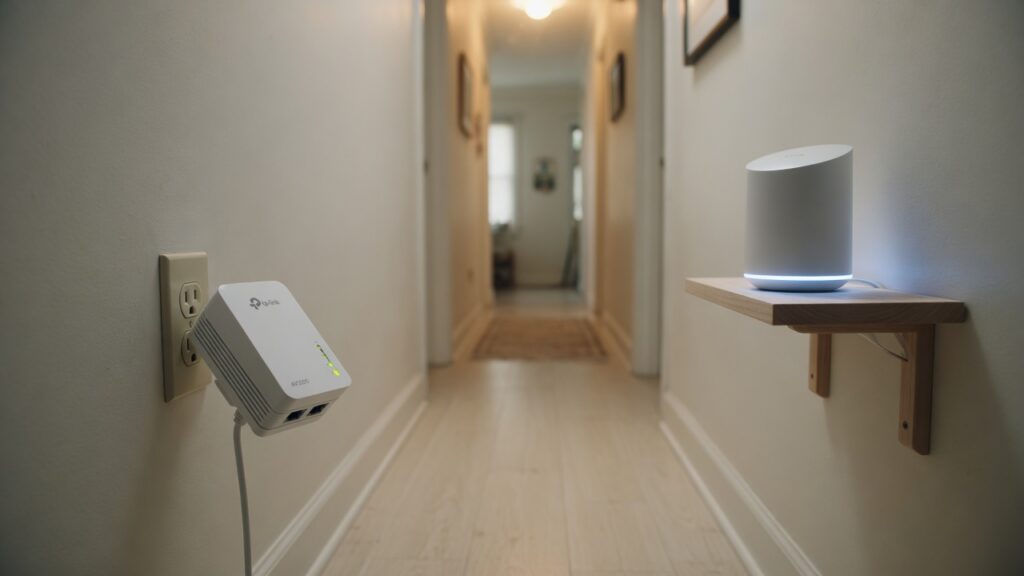
You need internet in a room that’s just too far from your router. Running an ethernet cable through the walls isn’t something you want to do on a Tuesday evening. You have two practical options: a mesh node, or a powerline adapter. Both are cheaper than running cable through walls and both avoid drilling. They work quite differently, and the right choice depends on your home.
How each one works
Mesh nodes create a network extension wirelessly. The node communicates with your primary router (or another node) over Wi-Fi, and then re-broadcasts a Wi-Fi signal in its location. Devices nearby connect to the nearest node, which relays their traffic back to the primary router and out to the internet.
Powerline adapters use your home’s existing electrical wiring as a network cable. You plug one adapter near your router and connect it to the router with an ethernet cable. You plug a second adapter in the far room. The two adapters talk to each other through the wiring in your walls. The second adapter can then either provide a wired ethernet port (to plug in a device directly) or broadcast a Wi-Fi signal if you get a powerline-Wi-Fi combo unit.
The case for a mesh node
If your electrical wiring is old or the circuit path between the two outlets is long and complex, powerline adapters may underperform significantly. Mesh nodes don’t depend on your home’s electrical infrastructure at all — they just need Wi-Fi signal to hop from.
Mesh nodes are also simpler to move. If you decide the node is better placed in a different room, unplug it and move it. Powerline adapters are somewhat location-dependent — they work best on the same electrical circuit, and performance can vary by which outlets you use.
Modern mesh systems from Eero, TP-Link Deco, Google Nest, and Netgear Orbi are straightforward to add a node to. You buy a compatible expansion node, plug it in, and the app walks you through adding it to your existing mesh. The whole process takes five minutes.
Where mesh nodes struggle: they’re relaying traffic wirelessly, which means the node’s connection to the primary router consumes wireless bandwidth. On a dual-band mesh system, the node and your devices share the same radio spectrum. In a home with many devices and heavy usage, wireless backhaul on a dual-band mesh can become a bottleneck. A tri-band system with a dedicated backhaul band handles this better.
Also, a mesh node’s performance in the far room is limited by how good the wireless link is between the node and the primary router. If that link is weak — because of too many walls or too much distance — the node performs poorly regardless of how close the device connecting to it is.
The case for powerline adapters
When your electrical wiring cooperates, powerline adapters deliver a more consistent connection than wireless mesh — because it’s effectively a wired connection, not a wireless hop. There’s no wireless backhaul to compete with your devices; the adapter-to-adapter communication happens on its own medium (the electrical wiring).
For a far room where you mainly need one or two wired devices — a desktop, a gaming console, a smart TV — a basic powerline adapter pair that provides ethernet ports is an elegant solution. Plug and play, no app required, no configuration.
Powerline adapters are also useful when the wireless signal between a potential mesh node location and the primary router would be weak. If the mesh node can’t get a good wireless backhaul signal, it won’t work well; powerline sidesteps that entirely.
The downsides: performance varies. Older homes with 1960s or earlier wiring, or homes where the two adapters would be on different electrical phases (common in larger North American homes), can see dramatically reduced throughput. Surge protectors interfere with the signal — adapters must be plugged directly into wall outlets, not power strips. And some electrical environments are just noisier than others.
If you’re considering powerline adapters, look for units supporting the HomePlug AV2 standard — rated at 600 Mbps or 1000 Mbps. Real-world throughput will be lower, but the higher-rated units give you more headroom.
Which one to choose
Choose a mesh node if:
- Your walls are thick or the electrical wiring is old
- You want Wi-Fi coverage in the far room, not just wired ports
- You’re already running a mesh system and just need to extend it
- You need flexibility to move the extension around
Choose powerline adapters if:
- The far room mainly needs wired connections (gaming console, desktop)
- The wireless backhaul for a mesh node would be unreliable in that location
- Your home’s wiring is relatively modern and on a single phase
- You want a simple, self-contained solution without app management
When in doubt: if you already have a mesh system, adding a node is the obvious path. If you’re starting fresh and your specific situation makes you uncertain about the wireless hop quality, try powerline adapters — they’re relatively cheap (around $40–80 for a basic pair), and if they work well in your home, they’re a reliable long-term solution.
One last option worth mentioning: if you can run even one ethernet cable to the far room, a wired connection from your router to a mesh node creates a wired backhaul that gives you the best of both worlds — solid node performance and Wi-Fi coverage in the far room. That’s the gold standard when the cable run is manageable.

Connor writes practical guides on Wi-Fi, mesh networks, and home security — breaking down complex IT topics into clear, beginner-friendly steps.
More about me →