Protecting Your Crypto: A Simple Home Network Setup for Digital Asset Holders
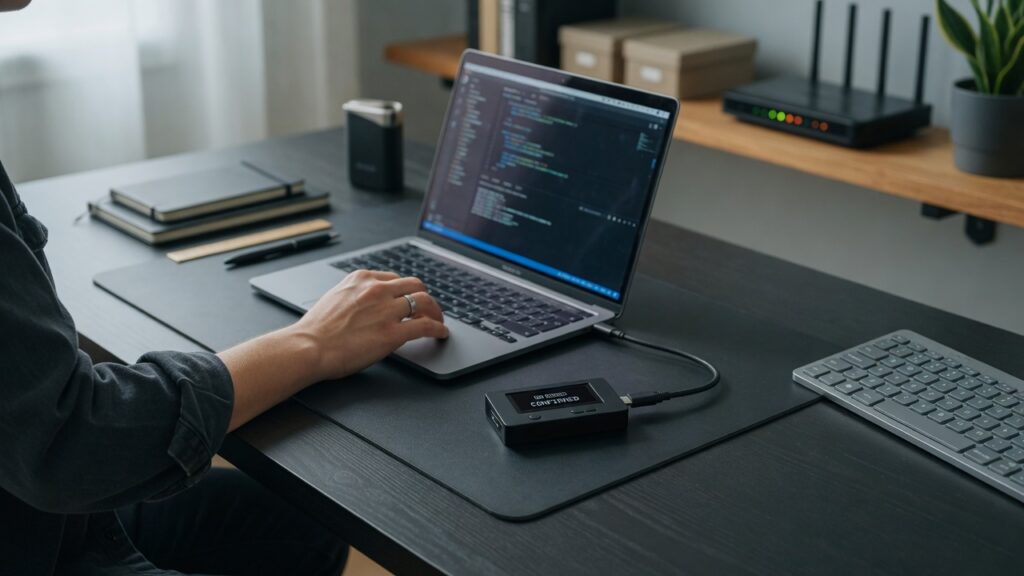
Most guides about crypto security focus on wallets, seed phrases, and exchange accounts. That’s the right starting point. But your home network is part of your security posture too, and it’s often the part that crypto holders overlook.
You don’t need to be a security engineer to get this right. A few specific changes to how your home network is set up can close gaps that more targeted guidance tends to miss.
The threat model: what you’re actually protecting against
Before going through a list of settings to change, it’s worth being clear about what you’re protecting against. The risks for a crypto holder at home fall into a few categories:
Network interception. If an attacker can observe your network traffic, they might be able to intercept unencrypted data, capture credentials if sent over insecure connections, or see which services you’re connecting to (which can itself be useful information for targeting you). Modern HTTPS largely addresses content interception, but it doesn’t hide everything.
Compromised device on your network. If one device on your home network is compromised — a laptop with malware, a poorly secured smart home device, a family member’s phone that picked something up — it may be able to probe other devices on the same network. If your hardware wallet software is running on the same network segment as a compromised device, the risk goes up.
Remote access exploits. If your router has vulnerabilities or is misconfigured, attackers can sometimes reach into home networks from the outside.
None of these are hypothetical. They’re documented attack vectors. The good news is that basic hygiene addresses most of them.
The core setup: what to actually do
Use a strong, unique password on your router admin interface. Not the default. Not your usual password. Something generated and stored in a password manager. If your router is running with factory defaults, fix that first.
Keep your router firmware updated. Manufacturers patch security vulnerabilities in firmware updates. An unpatched router is a known-vulnerability router. Check for updates quarterly at minimum, or turn on auto-update if your router supports it.
Separate your IoT devices from your primary devices. Put smart home gadgets on a guest network or VLAN, isolated from the devices you use for crypto transactions. A compromised smart speaker or camera shouldn’t be able to reach the laptop where you run your wallet software. A guest network takes fifteen minutes to configure and accomplishes the isolation you need.
Use a VPN at home when transacting. A router-level VPN encrypts all traffic from your home before it leaves your network. Even if your ISP or someone monitoring your connection can see you’re online, they can’t see the content of your traffic or which specific services you’re connecting to. For crypto users, this is a meaningful layer of privacy. Mullvad and ProtonVPN are the providers I’d point to — privacy-focused, no-logs, independently audited.
Disable remote management on your router. Unless you specifically need to access your router from outside your home, this setting should be off. Find it in your router’s admin panel under Advanced or Administration settings. If it’s on, turn it off.
Device-level habits that matter
The network is one layer. Your devices are another.
Keep the computer you use for crypto transactions clean. Don’t use it for general browsing, installing random software, or opening email attachments. Some security-conscious crypto holders keep a separate device — a cheap laptop or even a Raspberry Pi — dedicated only to crypto-related tasks. That’s not practical for everyone, but the discipline of not mixing your transaction device with your everyday browsing device is worth something even on the same hardware (separate browser profiles, at minimum).
Hardware wallets are the single best protection for significant holdings — they keep your private keys isolated from internet-connected devices entirely. If you’re holding more than you’d be comfortable losing, a hardware wallet is the investment that matters most. The home network hygiene in this post is the supporting layer around that, not a substitute for it.
What this setup actually looks like
After implementing the above:
- Router with a unique strong admin password and current firmware
- Guest network running with isolation enabled, all IoT devices on it
- Primary network for computers, phones, and anything related to financial or sensitive activity
- VPN running on the router or on individual devices during transactions
- Remote management disabled
That’s it. Nothing here requires deep technical knowledge. Each step has its own guide — and several of them I’ve already written up separately. The combination of these layers is what makes the difference.
Security doesn’t have to be all-or-nothing. Most attacks target the easiest available path. Close the obvious gaps, and you’ve made yourself a substantially harder target than the average home network.

Connor writes practical guides on Wi-Fi, mesh networks, and home security — breaking down complex IT topics into clear, beginner-friendly steps.
More about me →